
You can find legit deals online without giving away your email. Browser extensions, deal aggregator sites, Reddit communities, and privacy-friendly apps all help you save money without filling your inbox with spam.
Here at Unsubscribe Deals, we spend our days tracking down discounts and testing what actually works. We focus on practical methods we’ve tested ourselves, so you can trust that the strategies we share are reliable and worth using.
In this guide, we’ll talk about the best email-free ways to find deals and privacy-friendly shopping apps. We’ll also share where to find promo codes without subscribing, manual code patterns you should try, and what to watch out for with free coupon tools.
Read on to learn how to find deals but not give up your privacy.
What Are the Best Ways to Find Deals Without Email Sign-Ups?

The best ways to find deals without email sign-ups include browser add-ons, deal websites, price trackers, and guest checkout options. Most people think you need to hand over your email to score a decent discount, but that’s not true. In reality, you can save money online while avoiding all the spam messages.
Here are some of the best methods:
- Browser Extensions: Honey, Capital One Shopping, and Coupert scan thousands of promo codes the moment you hit checkout. They test each one automatically and apply whichever saves you the most, and they do it all without asking for your email.
- Deal Aggregator Sites: Sites like Slickdeals, DealNews, and RetailMeNot pull together deals from across the web. Since other shoppers vote on what actually works for them, you’re not wasting time on expired codes. Just copy what you need and go.
- Price History Trackers: CamelCamelCamel and The Camelizer let you see exactly what a product sold for over the past few months. The tracker helps you avoid spending extra money for a product that may have gone for a lower price. Seriously, that “50% off” tag means nothing if the price was inflated last week.
- Private Browsing Mode: Some stores track your activity and increase prices when they know you’re interested. However, incognito mode blocks this behavior by wiping your cookies and browsing history from the equation.
- Exit-Intent Pop-Ups: If you add a few items to your cart and then drag your mouse toward the close button, a lot of stores will flash a discount instantly. Their goal is to keep you from leaving empty-handed.
- Live Chat Requests: Customer support reps often have discount codes they can apply manually. So if you mention to them that you saw a better price somewhere else, there’s a good chance they’ll match it or do you one better.
- Guest Checkout Options: Many major retailers let you check out without creating an account. Instead, you simply enter your shipping details, complete the payment, and finish your order. This way, you get to avoid extra emails.
In our experience, browser extensions are the easiest place to start because they work in the background. So you shop as usual, and at checkout, they automatically look for discounts you might not notice on your own.
How Do Privacy-Friendly Shopping Apps Work?
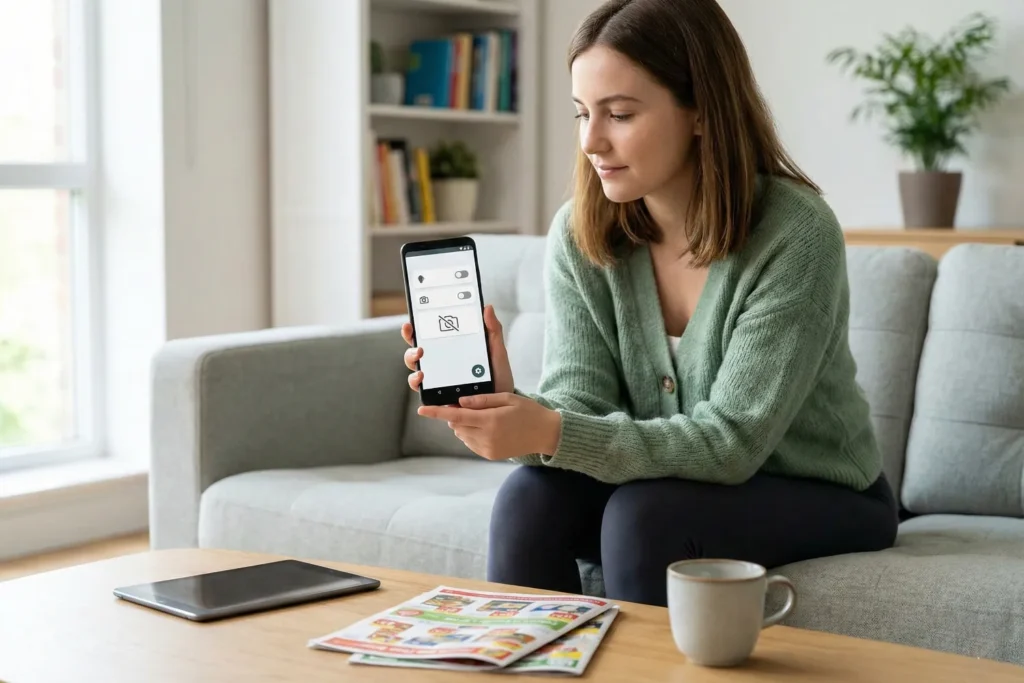
Privacy-friendly shopping apps work by storing all your data locally on your device and requiring no email or account to use.
Not every deal-finding app needs access to your contacts, camera, or browsing history. Some are built with privacy as the main focus, and they do the job just fine without harvesting your personal information.
We’ll now take a look at some of those apps and how they work.
Apps With No Account or Email Required
The best part about these no-account apps is that you can start using them immediately without signing up. For instance, F-Droid is basically an app store for open-source software, and most apps there don’t ask for personal details.
The Privacy Friendly Shopping List is also a good example. It lets you create shopping lists and sort items into categories without needing your phone contacts or login credentials (simple and to the point).
And if you’re running an Android version higher than 6, you can deny the camera permission from apps, and everything else will still work fine.
Data That Stays on Your Device
Believe it or not, almost every shopping app sends your information off to company servers in the background. But privacy-friendly apps don’t play that game.
For example, with the Privacy Friendly Shopping List, all this data (including the app data) lives on your phone and nowhere else. Your saved items, product notes, and shopping lists… none of it ever leaves your device.
That means you have full control over your information. Like, if you want to delete everything, you can do it instantly with just a few clicks. And it’s actually gone, instead of sitting in a backup somewhere waiting to resurface.
Pro tip: Use your device’s built-in permission manager to review and revoke access regularly.
Where Can You Find Promo Codes Without Subscribing?

You can find promo codes without subscribing to Reddit forums, social media pages, or during seasonal sales. In fact, newsletters aren’t the only source of discounts. Many shoppers post working codes in public forums, and brands share offers on their social pages.
You just need to look in the right places. Let us take you through some of the options.
Reddit and Deal Forums
Did you know that Reddit gives you access to community-tested codes without creating an account? Subreddits like r/deals, r/coupons, and r/frugal are packed with shoppers posting codes they’ve found and tested themselves.
But do remember to sort posts in those subs by NEW rather than HOT. That way, you’ll find fresh codes before they expire or hit their usage limit (beats scrolling for nothing).
Now, what makes Reddit truly useful is that the community does the vetting for you. For instance, if a code doesn’t work, someone will call it out in the comments. And if it does, you’ll see others confirming it.
This side of Reddit saves you the hassle of trying duds.
Social Media and Influencer Codes
You’ve probably scrolled past a discount code without even realizing it. Brands regularly drop promo codes on their Instagram stories, TikTok videos, and Facebook pages, and they’re often time-sensitive flash sales that don’t make it into email newsletters.
Influencers are another source of promo codes. It’s because sponsors give them unique codes to share with their audience. You’ll usually find these codes in video descriptions or pinned comments. They’re easy to grab and don’t require a sign-up.
Best Times to Find Unadvertised Deals
Timing is just as important in finding your discount options. Black Friday and Cyber Monday are obvious ones, with promo codes flying around everywhere. But end-of-month sales are worth watching, too. Retailers often discount stock to clear inventory before new shipments arrive.
What’s more is that holiday weekends often come with sitewide discounts. Even if a store doesn’t clearly promote a sale, it’s still worth trying a seasonal code like LABORDAY or EASTER at checkout.
Bonus: Monitor items at the end of a financial quarter. That’s when companies typically push extra discounts to hit targets.
What Promo Code Patterns Can You Try Manually?

You can try common promo codes like WELCOME10, SAVE20, or FREESHIP at checkout without signing up. In many cases, retailers reuse the same code formats, so testing a few standard patterns can sometimes unlock a working discount.
Here are some of the possible repeat codes you can try:
- Welcome Codes: Most stores offer first-time buyer discounts, and the codes are rarely creative. They’re usually WELCOME, WELCOME10, WELCOME15, NEW, or FIRST. You can input them in the promo box to see if one of them hits.
- Percentage Discounts: Codes like SAVE10, SAVE15, SAVE20, or variations including 10OFF and 20OFF appear often. Retailers reuse these simple formats because they’re easy to remember and manage.
- Free Shipping Codes: Shipping fees can wipe out your savings quickly. So before you pay for delivery, try codes like FREESHIP, FREESHIPPING, or SHIPFREE, since many stores use these common formats.
- Seasonal Codes: During major sales, you should at least try the obvious codes. For example, BLACKFRIDAY, CYBERMONDAY, HOLIDAY, or the current month plus year, like FEB26, often work even if they’re not advertised anywhere.
- Store-Specific Patterns: Some retailers use their brand name plus a number. Like, NIKE10, TARGET20, or ADIDAS15 might not always work, but they take two seconds to try and may occasionally pay off.
The thing about manual codes is that they cost you nothing but a few keystrokes. Worst case, you get an error message. And if you’re in luck, you knock 20% off your order without handing over your email or downloading anything.
That said, what if none of these attempts work? We recommend doing what you learned earlier. Check Reddit for store-specific codes, or ask live chat if they have anything available. Between guessing and digging, you’ll usually find something.
What Are the Risks of Free Coupon Tools?

Free coupon tools can help you save money, but they aren’t truly free. Since they don’t charge you, they have to earn money in other ways. In most cases, they do this by collecting your data, showing you ads, or both.
Watch out for these specific practices:
- Expired or Fake Codes: Some coupon sites stuff their pages with outdated rubbish that stopped working months ago. They don’t care if you save money. Rather, they just need you to click around long enough to generate ad revenue.
- Affiliate Cookie Hijacking: Certain browser extensions subtly swap out affiliate links at checkout so they pocket the commission instead of whoever actually referred you. Honey got caught doing exactly this thing. They hid better discounts to push users toward deals that earned them more money.
- Dynamic Pricing Manipulation: Unfortunately, a few tools do the opposite of what they promise. Instead of finding you the lowest price, they track your shopping behavior and increase the prices based on what they think you’re willing to pay.
But hold up, that doesn’t mean every free tool is dodgy. Most of them are actually useful and upfront about how they operate. Still, we think it’s important to read reviews and look at the permissions an app asks for before you install it (tip: just read before you click).
For example, if an extension wants access to your entire browsing history, that’s a red flag. A coupon finder only needs to see checkout pages and not every site you visit.
Find Deals on Your Own Terms
You don’t have to share your email to save money, so skip the newsletters. Use auto-apply discount tools, check deal forums, or try common promo codes instead. Some privacy-friendly apps help, too. This way, you’ll still save money without all the spam letters.
Not only that, but you can also stick with community-verified codes, check price histories before you buy, and don’t hesitate to ask customer support directly. These methods work, and they cost you nothing but a few minutes.
If you’re ready to save even more, be sure to check out our other guides. We regularly share new tips and updates to help you track down the latest promo codes and online discounts.